How to Sign In to My Verizon Business: A Five-Step Sign-in Help Guide
This is the informational sign-in help guide for My Verizon Business — not the sign-in surface itself. Follow the five-step procedure below to reach the commercial administrator dashboard, then review troubleshooting if you run into a forgotten password, lockout or MFA device replacement.
If you are looking for the sign-in surface, it lives at verizonbusiness.at/login. This guide walks through what happens on that page, what to prepare before you sign in and how to recover when something goes wrong. For any issue not covered here, call Business Support on 1-800-465-4054.
Operational Highlights
- This page is a guide. Actual sign-in occurs at verizonbusiness.at/login. No credentials are collected here.
- Five-step procedure: Open page → User ID → Password → MFA → Dashboard.
- Password: ≥ 12 chars, mixed case, numbers, symbols; no reuse of last five.
- Lockout: 5 failed attempts → 30-minute auto-release or Super User manual unlock.
- Biometric: Face ID, Touch ID and Android biometrics satisfy MFA on registered devices.
Before You Sign In: Prerequisites
Have these three items ready before following the procedure.
1. Registered User ID
Your User ID was issued during Verizon Business account activation. User IDs are case-insensitive but unique across the tenant. If you do not know your User ID, ask your tenant Super User or call Business Support.
2. Current Password
A password of at least 12 characters mixing upper case, lower case, numbers and symbols — not reused from your last five passwords. Passwords expire every 90 days by default (configurable per tenant).
3. Enrolled MFA Device
Either the Verizon Authenticator app, a TOTP authenticator, a registered mobile number for SMS OTP, a voice-capable number for voice OTP or a FIDO2 hardware token for enterprise Super Users.
The Five-Step Sign-in Procedure
This is the HowTo procedure. Each step is a single deliberate action.
Step 1 — Open the sign-in page
Navigate to verizonbusiness.at/login in a supported browser. Supported browsers are current major releases of Chrome, Edge, Firefox and Safari. Close unrelated tabs to reduce exposure to tab-napping.
Step 2 — Enter your User ID
Type the User ID issued during account activation. User IDs are case-insensitive but cannot contain spaces. The portal tolerates leading and trailing whitespace pasted from an email client.
Step 3 — Enter your password
Type your current password. Show/hide eye icon is available for accessibility. After three consecutive failures the system inserts a CAPTCHA; after five, the account locks for 30 minutes unless a Super User unlocks it sooner.
Step 4 — Approve the MFA challenge
The MFA challenge is pushed to your default factor. Approve via Verizon Authenticator app (push), type the six-digit TOTP code, read the SMS OTP, answer the voice OTP call, or present biometric on a registered device. Fallback factors are listed beneath the primary prompt.
Step 5 — Land on My Verizon Business
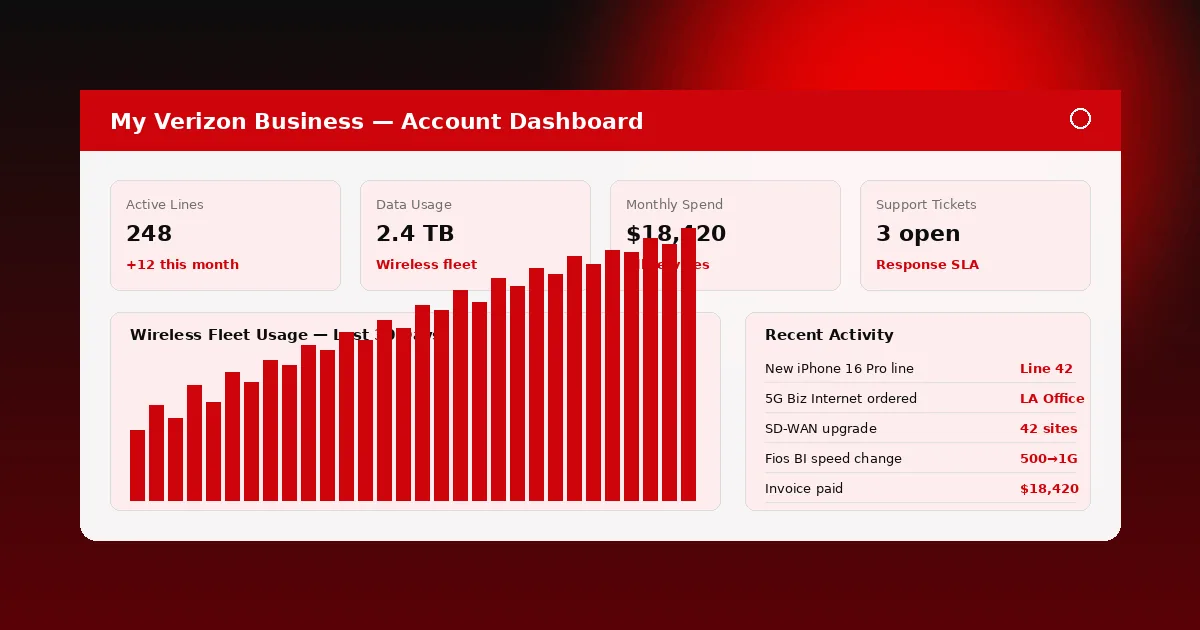
The dashboard loads scoped to your role (Super User, Billing Admin, Wireless Admin, Fiber Admin, Voice Admin or Reporting User). Tiles surface Wireless Lines, Fiber Circuits, 5G Routers, Voice Seats, Billing and Support Cases. First sign-in walks through a guided tour that can be skipped.
Troubleshooting Common Sign-in Issues
What to do when the procedure stalls.
| Sign-in Issue | Resolution | Who Can Help | Phone Option |
|---|---|---|---|
| Forgot password | Use Forgot password link; reset email within 2 min | Self-service | 1-800-465-4054 if reset fails |
| Account locked (5 failures) | Wait 30 min or request Super User unlock | Tenant Super User | 1-800-465-4054 if Super User locked |
| Lost authenticator device | Use SMS or voice OTP fallback; re-enroll device | Self-service → Profile → MFA | 1-800-465-4054 if no fallback |
| MFA SMS not arriving | Check number in Profile; try voice OTP | Self-service / Super User | 1-800-465-4054 |
| Browser shows session error | Clear cookies for verizonbusiness.at, retry | Self-service | 1-800-465-4054 |
| Suspect account compromise | Stop, call Business Support immediately | Verizon SOC | 1-800-465-4054 (24/7) |
Security Best Practices at Sign-in
Five habits reduce the odds of a compromised sign-in. First, type the URL verizonbusiness.at/login rather than clicking links from email — the most common phishing lure impersonates a password expiry notice. Second, prefer push or TOTP factors over SMS OTP where possible; SMS is vulnerable to SIM-swap attacks and federal guidance (NIST 800-63B) treats it as a restricted factor at higher assurance levels. Third, keep the Verizon Authenticator app on a phone that has a device PIN, device biometric and OS auto-update enabled. Fourth, use biometric sign-in on managed handsets — it is faster and binds to device hardware in a way that a leaked password cannot replicate. Fifth, maintain two Super Users per tenant so MFA resets can be performed in-house without calling Business Support.
For regulated industries, pair sign-in controls with audit logging review. Verizon Business retains 13 months of authentication logs online and exports to SIEM (CEF, LEEF or JSON) for integration with SOC workflows. Unexpected sign-ins from new IP ranges or at unusual hours should trigger a follow-up with the affected user and, if warranted, an account compromise ticket through the Security page.
Mobile biometric sign-in works across Face ID and Touch ID on iOS and fingerprint plus facial recognition on Android. The biometric itself never leaves the device — Verizon Authenticator references the OS keychain / keystore and returns a signed attestation. This satisfies NIST AAL2 when combined with device PIN enforcement.